Overview of CapturePlus Additional Features
CapturePlus provides a feature that lets users print captured screens for added convenience.
Print Feature
You can print captured screens directly to a printer with a variety of options.
The available options include margins, center alignment, fit to paper size, maintain original aspect ratio, paper orientation, and the number of copies to print.
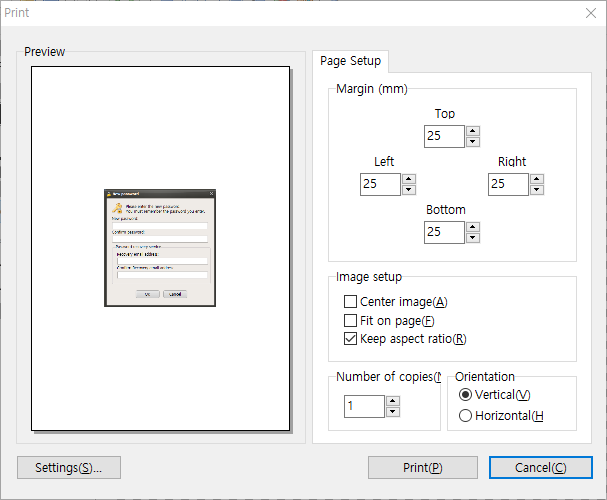
CapturePlus also offers many more features throughout its menus than can all be listed here.
Once you try it, you will immediately see how powerful it is.
Today's News/Tips
How to record microphone audio together during recording (Windows XP)
How to record microphone sound together with the recording (Windows XP)
Windows XP is an operating system whose support has ended at Microsoft, so it may not work normally. (for reference)
Click the Settings button on the oCam main screen.
The Sound and Audio Devices Properties window opens, then click the Advanced button.
The Volume Control window opens, click Options - Properties from the menu.
In the Properties window, select the Recording radio button, check the Microphone volume checkbox, and click OK.
A new window opens as shown below, and check the checkbox in the Microphone Volume tab.
After closing the window, return to Control Panel - Sound and Audio Devices and click the Advanced button again. Then click Options from the menu.
And this time, click the Playback radio button, check the Microphone volume checkbox, and click OK.
In the Microphone Volume tab, uncheck the Mute checkbox.