How to Use an External Codec - Xvid
Go to the official Xvid website.
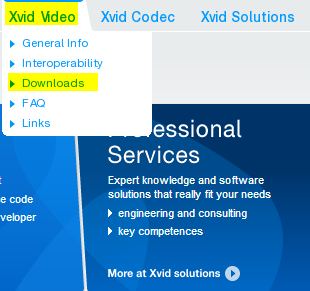
Click Xvid Video - Downloas in the menu at the top right. ( Do not select Xvid Codec. )
Click the link below.
Click the Download button to download it.
This is the installation screen. Click OK right away.
The detailed explanation is omitted. Just keep clicking the Next button to continue.
If oCam is already running, restart it, then click the Codec button in the oCam main window and click the External Codec menu.
Then check the Use External Codec checkbox, and you will see that the newly added Xvid MPEG-4 Codec is available.
Select that codec.
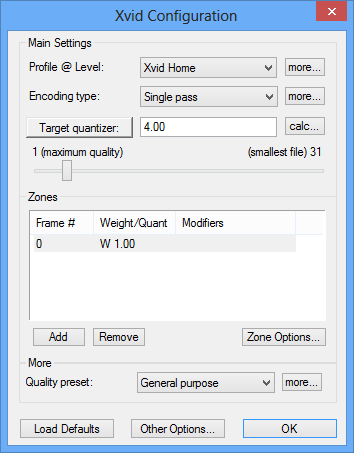
Click the Settings button to configure the detailed options of the Xvid codec.
oCam Help · Quality & codecs
- How to Set the Frame Rate Mode - VFR (Variable Frame Rate) or CFR (Constant Frame Rate)
- FAQ About Variable Frame Rate (VFR) and Constant Frame Rate (CFR)
- Download Useful External Codecs
- How to Improve Recording Video and Audio Quality in oCam
- How to Use the x264vfw External Codec
- How to Record Losslessly Using x264vfw
- What Are Codecs and Digital Container Formats?
- What Video Codecs and Container Formats Are Supported?